
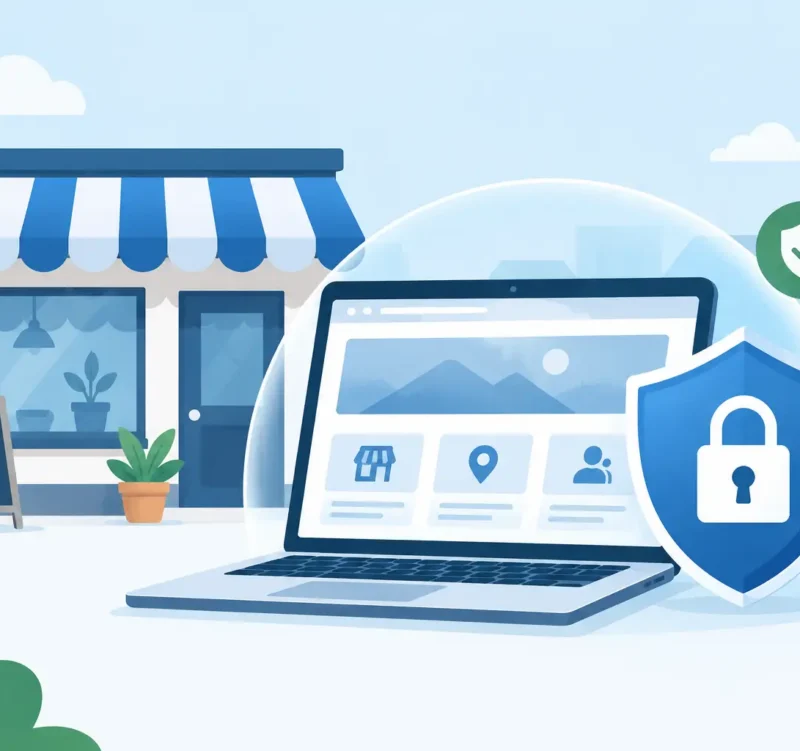
A website can be a small business’s best salesperson, answering questions and bringing in leads long after the office closes. But when website security is neglected, that same site can damage the trust you have worked hard to earn. A hacked homepage, a warning message in a browser, or a stolen contact form submission can make a polished local business look careless overnight.
For most business owners, the goal is not to become a cybersecurity expert. It is to keep the website dependable, protect customer information, and make sure the site stays open for business. The right plan is practical, ongoing, and matched to the way your organization actually uses its website.
Why Website Security Is a Business Issue
Security problems are not limited to national brands or big online stores. Small businesses are often targeted precisely because their websites may run on old software, use weak passwords, or go months without maintenance. Automated attacks scan the web for these gaps. They do not care whether your company is a contractor in Sussex County, a Wilmington professional practice, a local restaurant, or a nonprofit with a modest budget.
The cost can show up in several ways. Your website may be redirected to another page, display spam content, or disappear from search results until the issue is fixed. Customers may see a browser warning that tells them the site is unsafe. If an attacker accesses form submissions, invoices, login details, or customer data, the damage can extend beyond the website itself.
There is also a credibility cost. A visitor who sees suspicious activity may not call to ask what happened. They may simply move on to the next business. For local companies that depend on referrals, repeat customers, and a professional reputation, prevention is usually far less expensive than rebuilding confidence later.
Start With the Basics That Prevent Most Problems
Good website security is rarely one magic tool. It is a series of sensible habits that work together. Start with the basics before paying for complicated services you may not need.
First, make sure your website has a current SSL certificate. This is what gives visitors the padlock symbol and allows the site to load through HTTPS. It encrypts information sent between the visitor and your website, which matters whenever someone fills out a contact form, requests an estimate, makes a donation, or creates an account. An expired certificate can create an alarming browser message even when nothing else is wrong.
Next, use strong, unique passwords for every website-related account. That includes your website administrator login, hosting account, domain registrar, business email, analytics tools, and any third-party form or scheduling platform. Reusing a password creates a chain reaction: if one account is exposed, an attacker may gain access to the rest.
Turn on multi-factor authentication wherever it is offered. A password plus a verification code from an authenticator app or mobile device creates a meaningful extra layer of protection. It can stop an unauthorized login even when a password has been guessed, leaked, or reused.
Finally, limit access. Every person who can log in to your website should have a reason to do so and only the level of access they need. When an employee, volunteer, vendor, or former web partner no longer needs access, remove it promptly. Shared administrator logins are convenient until something goes wrong and no one can tell who made a change.
Keep the Website Maintained, Not Just Launched
A new website is not a finished project in the same way a new sign, brochure, or business card is finished. Websites depend on software, plugins, themes, hosting systems, and integrations that change over time. Those updates often contain security fixes.
If your website uses a content management system, keep its core software, theme, and plugins current. The trade-off is that updates can occasionally conflict with one another, particularly on an older site with custom features. That is why smart maintenance includes a backup before updates and a quick review afterward. Updating without a backup can be risky. Never updating is usually riskier.
It also helps to remove anything you are not using. An inactive plugin, abandoned theme, old user account, or unused form tool can still create an opening. Fewer moving parts make a website easier to manage and less likely to break.
Ask a simple question: who is responsible for checking the site each month? If the honest answer is “no one,” that is the gap to close. A maintenance plan provides value not because it sounds technical, but because someone is actively watching the details that tend to get pushed aside during busy workweeks.
Protect Customer Information With Care
Not every small business website needs to collect the same kind of information. A restaurant taking online orders, a nonprofit accepting donations, and a law office receiving confidential inquiries have different needs. Still, every organization should collect only what it truly needs.
A basic contact form may require a name, email address, phone number, and message. Asking for sensitive information through a standard form can create unnecessary risk. If customers need to share financial, medical, legal, or other confidential details, use a platform built for that purpose and make the process clear to the customer.
Online payments deserve special attention. Avoid storing credit card details directly on your website unless you have a very specific reason and the proper infrastructure to do it safely. Established payment processors are designed to handle payment information securely, which reduces your exposure and simplifies compliance responsibilities.
Your privacy policy should also match what the site actually does. If you collect newsletter signups, appointment requests, tracking data, or payments, say so plainly. Clear communication supports trust, while vague or copied policies can cause confusion when customers have questions.
Backups Are Your Recovery Plan
Security is partly about preventing problems and partly about recovering quickly when a problem occurs. A clean, recent backup can turn a serious website issue into an inconvenience. Without one, even a small error can become a costly rebuild.
A worthwhile backup plan includes your website files, database, media library, and configuration details. It should run on a schedule that matches how often your site changes. A brochure-style site updated occasionally may be fine with less frequent backups, while an e-commerce site or active blog needs more regular copies.
Do not assume your hosting company keeps the kind of backups you need. Some hosts do, but retention periods, restore fees, and available backup versions vary. Keep a copy stored separately when possible, and make sure someone knows how to restore it. A backup that has never been tested is only a hopeful assumption.
Watch for the Signs of Trouble
Many website issues start quietly. You may notice that the site has become unusually slow, unfamiliar pages appear in search results, or customers say they were sent somewhere unexpected. Other warning signs include new administrator accounts, unexplained changes to contact forms, unusual email activity, or a sudden drop in website traffic.
If something looks wrong, avoid making random changes in a hurry. Take note of what you see, save screenshots if appropriate, and contact the person or team responsible for your website and hosting. Changing passwords is often a good first move, but a complete response may also involve scanning files, reviewing user accounts, restoring a clean backup, and checking that search engines are not serving harmful pages.
Speed matters, but so does accuracy. A temporary holding page can be better than leaving a compromised website visible to customers while the problem is being investigated.
A Practical Website Security Routine
The easiest way to stay ahead of website problems is to assign recurring tasks instead of relying on memory. A basic routine can include these five actions:
- Review software, plugin, and theme updates monthly.
- Confirm backups are completing and can be restored.
- Check user accounts and remove access that is no longer needed.
- Test key forms, checkout tools, and appointment requests.
- Look at the site from a visitor’s point of view for browser warnings, broken pages, or strange content.
For a simple informational website, this may take little time each month. For a site with online ordering, memberships, customer portals, or regular content updates, more frequent oversight makes sense. The right level of support depends on the site, not a one-size-fits-all package.
Catalyst Visuals approaches maintenance the same way we approach design: with practical attention to what helps a local business look professional and keep moving. Security should support your marketing, not become another full-time job on your desk.
Your customers should be able to find your business, trust what they see, and contact you without hesitation. Put a clear owner and a simple maintenance plan behind your website, and it can keep doing what it was built to do: help your business look its best and earn the next opportunity.